# Vinyl Streamer
A lightweight, local-network streaming service that captures analog audio from a turntable and broadcasts it over the network using Icecast. Listen to your vinyl records in real-time from any device in your home.
## 🎛️ Hardware Prerequisites
To build this streaming node, you will need the following physical components:
* **Raspberry Pi:** A Raspberry Pi 3B, 4, or Zero 2 W is recommended, along with a reliable power supply and MicroSD card.
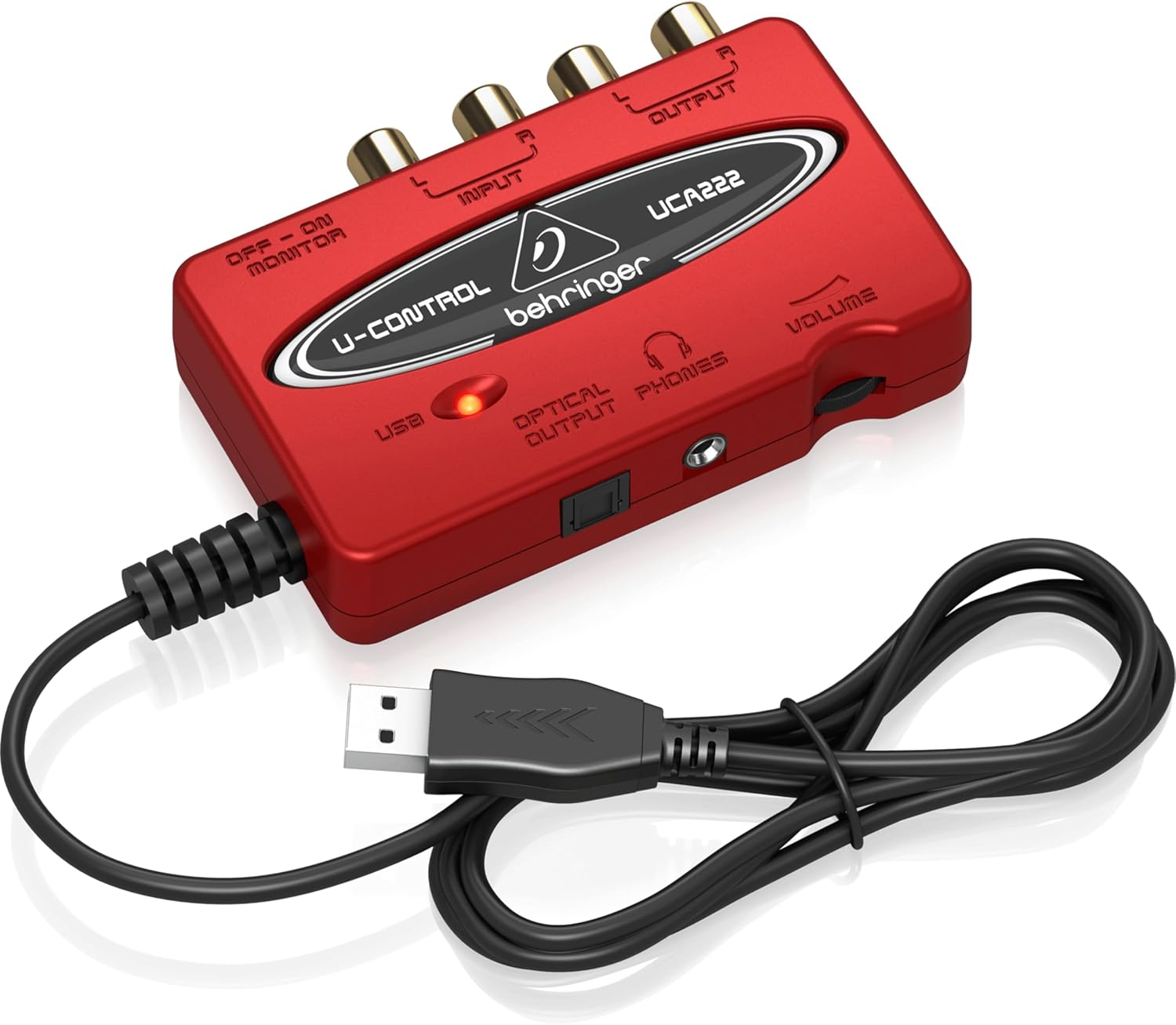
* **USB Audio Interface (ADC):** A device to convert the analog audio to a digital signal for the Pi.
I had best restults with the [Behringer UCA202](https://www.amazon.ca/-/fr/Behringer-UCA222-Interface-audio-rouge/dp/B0023BYDHK/)
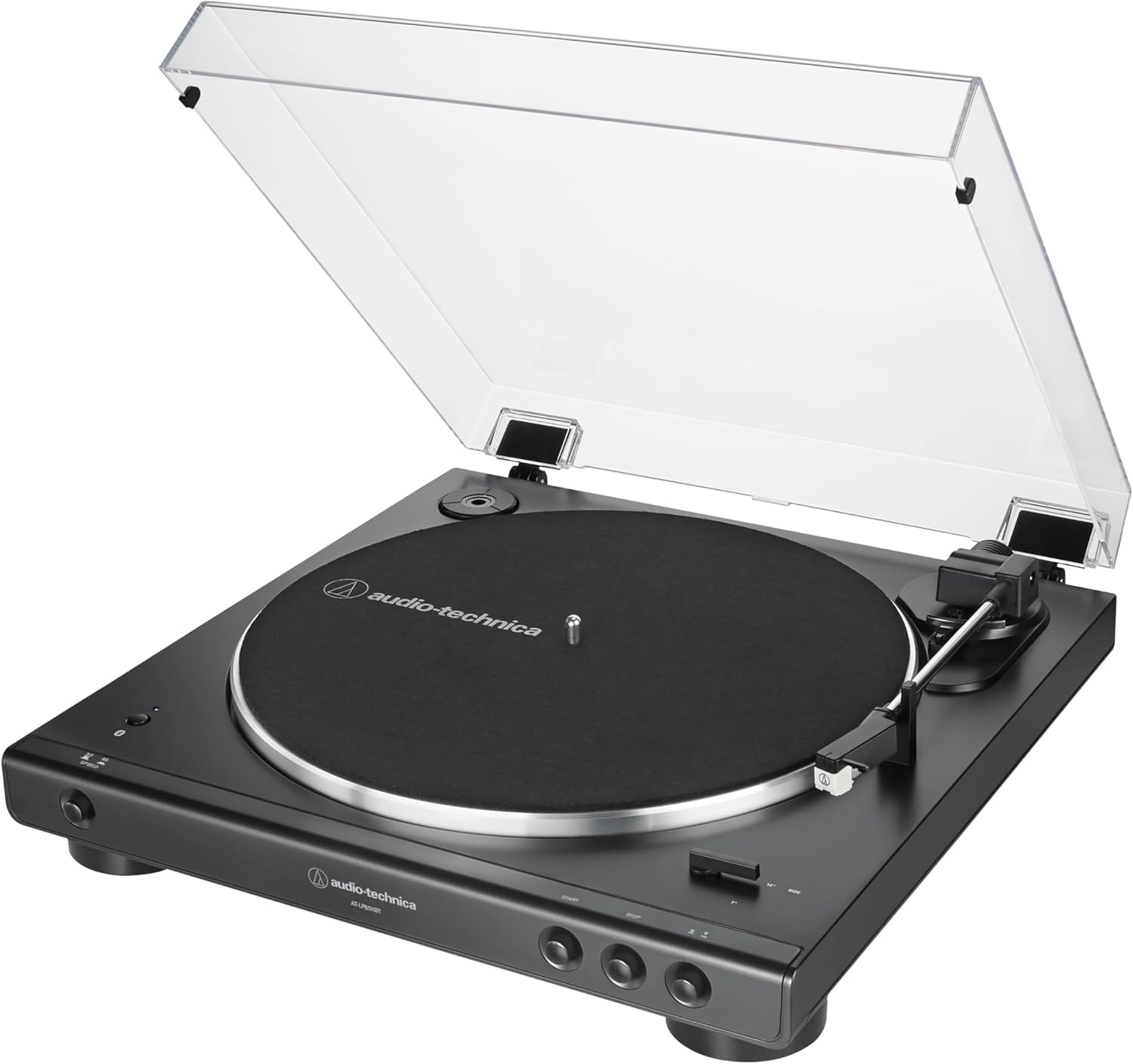
 * **Turntable:** Your vinyl record player with analog output like the [Audio-Technica AT-LP60XBT-BK](https://www.amazon.ca/-/fr/dp/B07N3RFXRL)
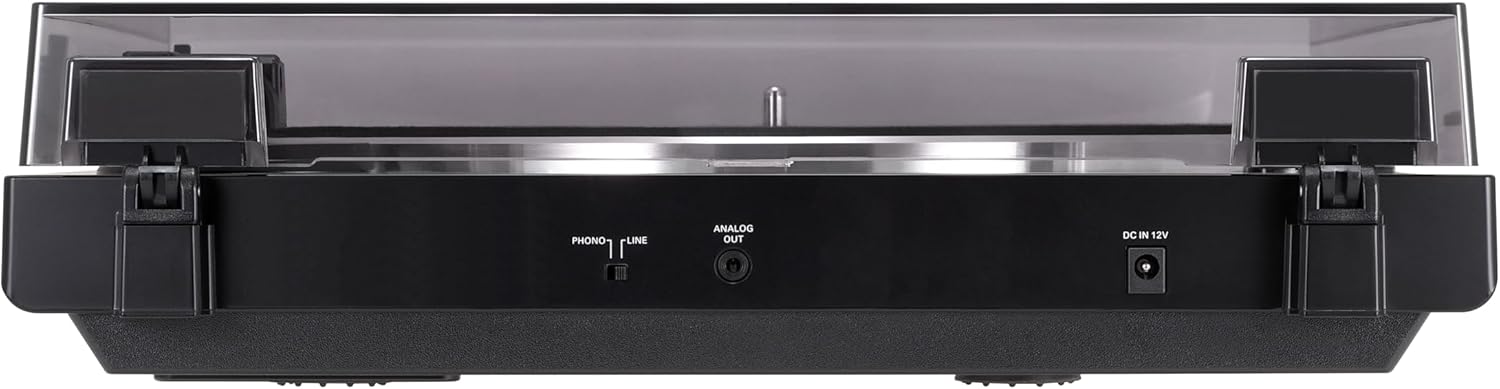 * **[3.5mm to RCA Cables]((https://www.amazon.ca/VCE-adaptateurs-st%C3%A9r%C3%A9o-femelle-Plaqu%C3%A9/dp/B06XCR898P)):** To connect the turntable/preamp to the audio interface.
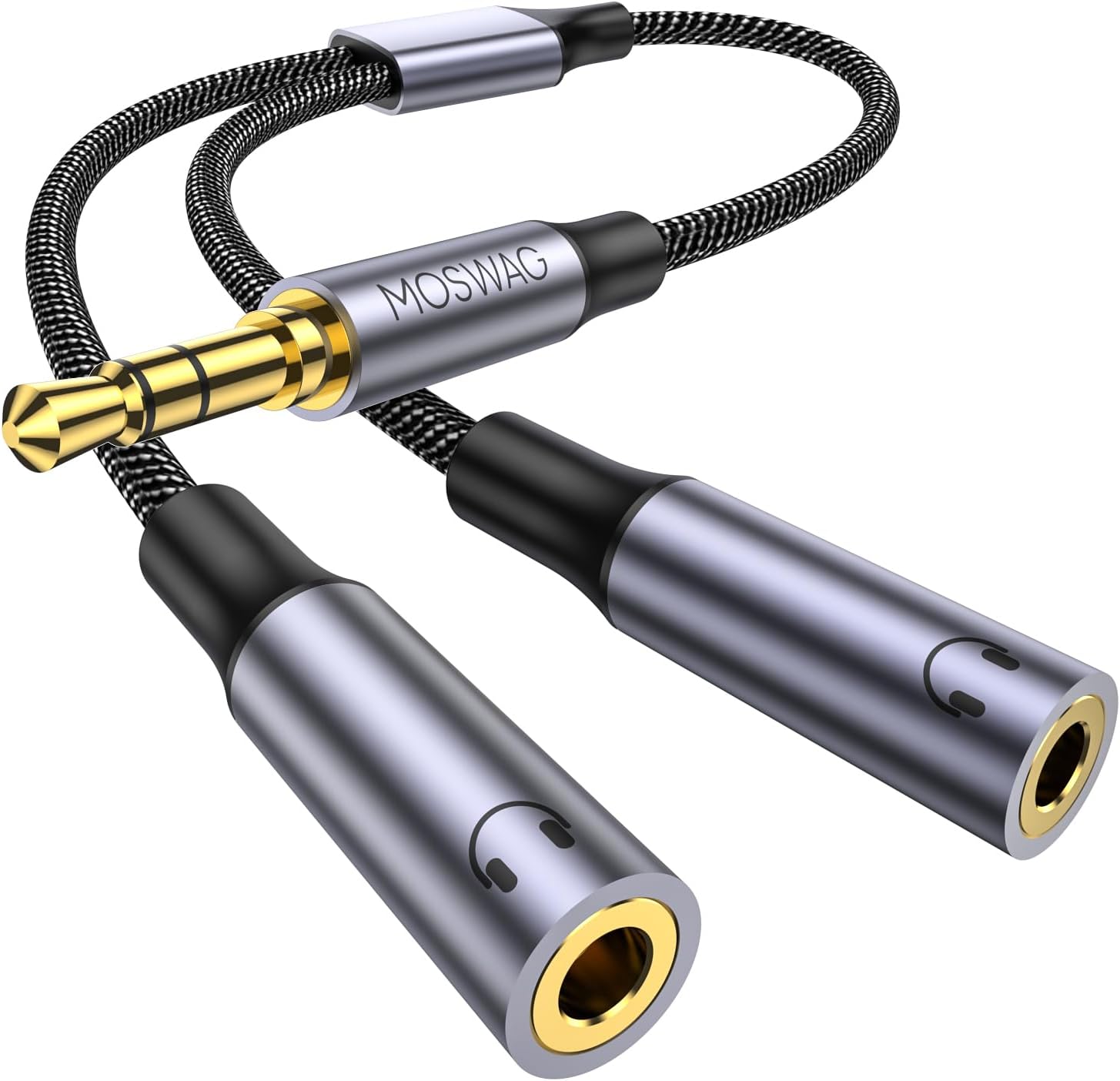
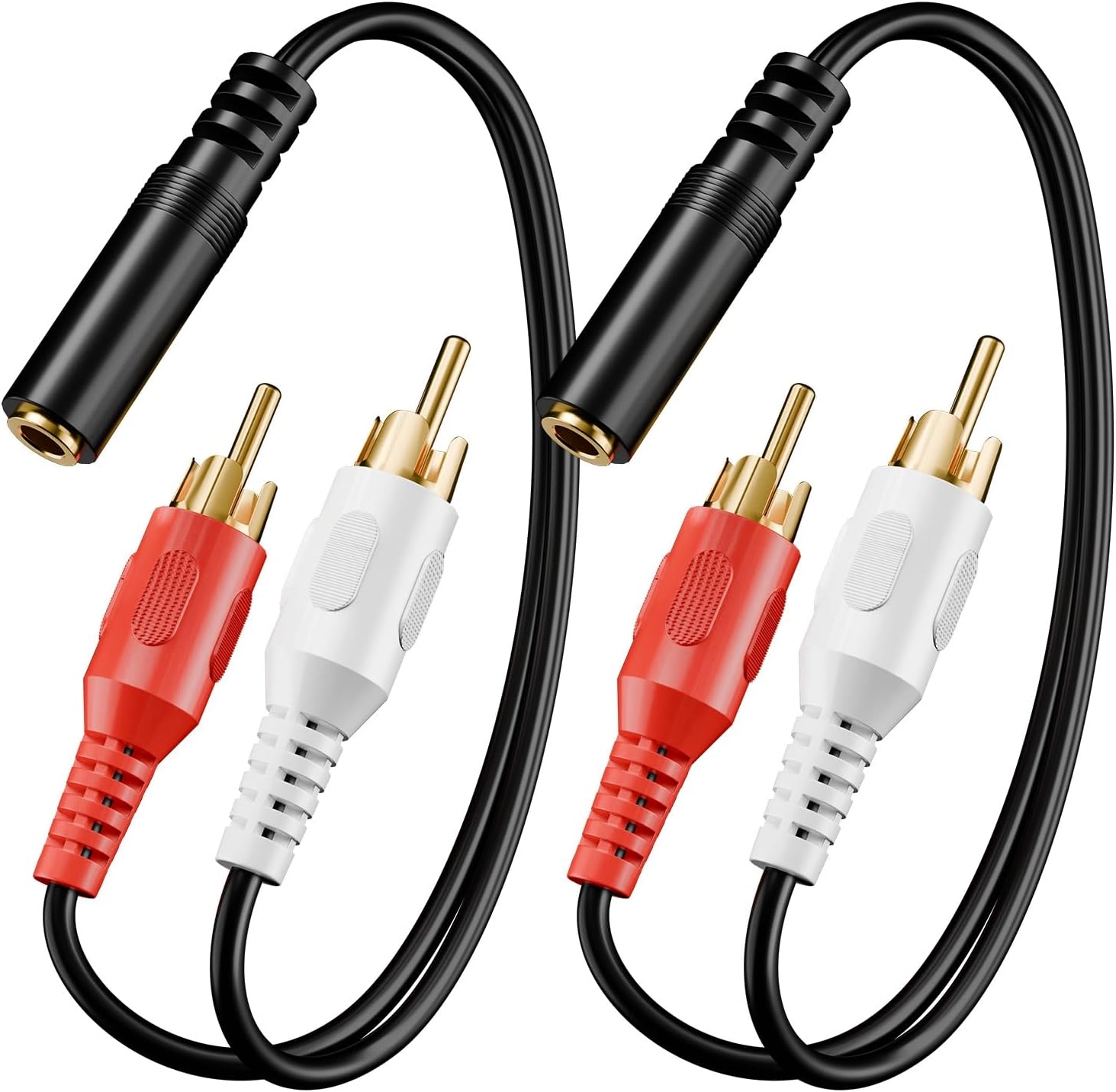 * **[3.5 mm Splitters](https://www.amazon.ca/-/fr/R%C3%A9partiteur-femelle-dextension-Adaptateur-Compatible/dp/B0CN8WRSNG):** To keep the connection available to your Home Theater or Speakers
 ## 💻 Software Prerequisites
The streamer relies on two core pieces of software: a capture/encoding client and a broadcast server.
* **Linux OS:** A headless Linux distribution like Raspberry Pi OS Lite or Dietpi if you want fast bootup.
* **ALSA (Advanced Linux Sound Architecture):** Standard Linux sound drivers to detect and manage the USB audio interface (`alsa-utils`).
* **Darkice:** The streaming client. It captures the live audio from the ALSA device, encodes it (to MP3, Ogg Vorbis, etc.), and sends it to the server. *(Note: **Liquidsoap** is a powerful alternative to Darkice if you want to implement advanced scripting, like silence detection).*
* **Icecast2:** The streaming media server. It receives the encoded stream from Darkice and serves it to network clients (browsers, media players, smart speakers) via a local HTTP URL.
* **Docker or podman**: The virtualization software if you dont want to install on bare metal
---
## 🚀 Installation & Setup
### Hardware Flow
```mermaid
flowchart TD
A[Turntable] --> |3.5mm|B[3.5mm Splitter]
B --> |3.5mm|C[3.5mm to RCA converter]
B --> |3.5mm|D[Home Theater]
C --> |RCA|E[Behringer UCA202]
E --> |USB|F[Raspberry Pi3]
```
### Option A: Bare-Metal Package Installation
1. Update your system and install the required packages:
```bash
sudo apt update
sudo apt install alsa-utils darkice icecast2
```
2. Configure Icecast by following the prompts to set your broadcast passwords.
3. Identify your USB audio device using `arecord -l` to find the correct ALSA card number.
you should see something similar to
```
**** List of CAPTURE Hardware Devices ****
card 1: Codec [USB Audio Codec], device 0: USB Audio [USB Audio]
Subdevices: 1/1
Subdevice #0: subdevice #0
```
4. Edit the `/etc/darkice.cfg` file to link your hardware capture device to the Icecast server.
```
[input]
device = hw:1,0 # OSS DSP soundcard device for the audio input
sampleRate = 44100 # sample rate in Hz. try 11025, 22050 or 44100
bitsPerSample = 16 # bits per sample. try 16
channel = 2 # channels. 1 = mono, 2 = stereo
```
5. Icecast streams: continue to edit the '/etc/darkice.cfg' file and add the configuration nof your choice, or both
MP3 is compatible with more devices but Opus has usually greater quality
```
# ==========================================
# Stream 1: High Compatibility (MP3)
# URL: http://:8000/vinyl.mp3
# ==========================================
[icecast2-0]
bitrateMode = cbr # Constant bitrate for maximum MP3 compatibility
format = mp3
bitrate = 320 # High quality MP3
server = localhost # Or the IP of your Icecast container
port = 8000
password = hackme # Must match ICECAST_SOURCE_PASSWORD
mountPoint = vinyl.mp3
name = Vinyl Stream (MP3)
description = Turntable broadcast in MP3 format
# ==========================================
# Stream 2: High Efficiency / Quality (Opus)
# URL: http://:8000/vinyl.opus
# ==========================================
[icecast2-1]
bitrateMode = vbr # Variable bitrate is ideal for Opus
format = opus
bitrate = 128 # Opus sounds incredibly transparent at 128kbps
server = localhost # Or the IP of your Icecast container
port = 8000
password = hackme # Must match ICECAST_SOURCE_PASSWORD
mountPoint = vinyl.opus
name = Vinyl Stream (Opus)
description = Turntable broadcast in Opus format
```
### Option B: Docker Compose Deployment
If you prefer a containerized homelab setup, you can deploy the stack using Docker Compose.
**`docker-compose.yml`**
run
```
docker compose up -d
```
*(Ensure your ALSA device is mapped correctly and your `darkice.cfg` points to the `icecast` container hostname).*
## 🎧 Listening to the Stream
Once the services are running and a record is spinning, you can access the stream from any device on your local network by pointing your browser or a network media player to:
`http://:8000/vinyl`
You can use a service like [Music Assistant](https://www.music-assistant.io/) to add that stream as an internet radio and cast to your Cast devices (google cast / Snap / Sonos/ etc)
## 💻 Software Prerequisites
The streamer relies on two core pieces of software: a capture/encoding client and a broadcast server.
* **Linux OS:** A headless Linux distribution like Raspberry Pi OS Lite or Dietpi if you want fast bootup.
* **ALSA (Advanced Linux Sound Architecture):** Standard Linux sound drivers to detect and manage the USB audio interface (`alsa-utils`).
* **Darkice:** The streaming client. It captures the live audio from the ALSA device, encodes it (to MP3, Ogg Vorbis, etc.), and sends it to the server. *(Note: **Liquidsoap** is a powerful alternative to Darkice if you want to implement advanced scripting, like silence detection).*
* **Icecast2:** The streaming media server. It receives the encoded stream from Darkice and serves it to network clients (browsers, media players, smart speakers) via a local HTTP URL.
* **Docker or podman**: The virtualization software if you dont want to install on bare metal
---
## 🚀 Installation & Setup
### Hardware Flow
```mermaid
flowchart TD
A[Turntable] --> |3.5mm|B[3.5mm Splitter]
B --> |3.5mm|C[3.5mm to RCA converter]
B --> |3.5mm|D[Home Theater]
C --> |RCA|E[Behringer UCA202]
E --> |USB|F[Raspberry Pi3]
```
### Option A: Bare-Metal Package Installation
1. Update your system and install the required packages:
```bash
sudo apt update
sudo apt install alsa-utils darkice icecast2
```
2. Configure Icecast by following the prompts to set your broadcast passwords.
3. Identify your USB audio device using `arecord -l` to find the correct ALSA card number.
you should see something similar to
```
**** List of CAPTURE Hardware Devices ****
card 1: Codec [USB Audio Codec], device 0: USB Audio [USB Audio]
Subdevices: 1/1
Subdevice #0: subdevice #0
```
4. Edit the `/etc/darkice.cfg` file to link your hardware capture device to the Icecast server.
```
[input]
device = hw:1,0 # OSS DSP soundcard device for the audio input
sampleRate = 44100 # sample rate in Hz. try 11025, 22050 or 44100
bitsPerSample = 16 # bits per sample. try 16
channel = 2 # channels. 1 = mono, 2 = stereo
```
5. Icecast streams: continue to edit the '/etc/darkice.cfg' file and add the configuration nof your choice, or both
MP3 is compatible with more devices but Opus has usually greater quality
```
# ==========================================
# Stream 1: High Compatibility (MP3)
# URL: http://:8000/vinyl.mp3
# ==========================================
[icecast2-0]
bitrateMode = cbr # Constant bitrate for maximum MP3 compatibility
format = mp3
bitrate = 320 # High quality MP3
server = localhost # Or the IP of your Icecast container
port = 8000
password = hackme # Must match ICECAST_SOURCE_PASSWORD
mountPoint = vinyl.mp3
name = Vinyl Stream (MP3)
description = Turntable broadcast in MP3 format
# ==========================================
# Stream 2: High Efficiency / Quality (Opus)
# URL: http://:8000/vinyl.opus
# ==========================================
[icecast2-1]
bitrateMode = vbr # Variable bitrate is ideal for Opus
format = opus
bitrate = 128 # Opus sounds incredibly transparent at 128kbps
server = localhost # Or the IP of your Icecast container
port = 8000
password = hackme # Must match ICECAST_SOURCE_PASSWORD
mountPoint = vinyl.opus
name = Vinyl Stream (Opus)
description = Turntable broadcast in Opus format
```
### Option B: Docker Compose Deployment
If you prefer a containerized homelab setup, you can deploy the stack using Docker Compose.
**`docker-compose.yml`**
run
```
docker compose up -d
```
*(Ensure your ALSA device is mapped correctly and your `darkice.cfg` points to the `icecast` container hostname).*
## 🎧 Listening to the Stream
Once the services are running and a record is spinning, you can access the stream from any device on your local network by pointing your browser or a network media player to:
`http://:8000/vinyl`
You can use a service like [Music Assistant](https://www.music-assistant.io/) to add that stream as an internet radio and cast to your Cast devices (google cast / Snap / Sonos/ etc)